AI Fashion Suite adds an instant AI fitting preview and a size recommender to every product page. One click for the shopper, zero code for you.
🔒 By default shopper photos aren’t stored - only a one-way match code and the generated result. Photo saving is off unless you turn it on and the shopper agrees.
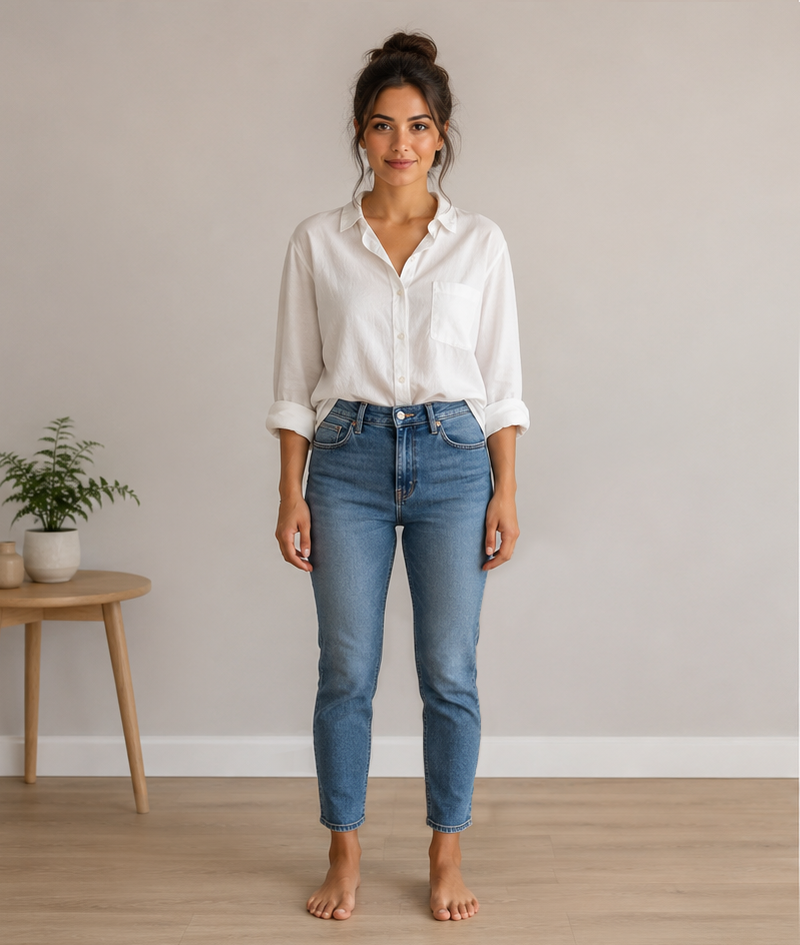 After
After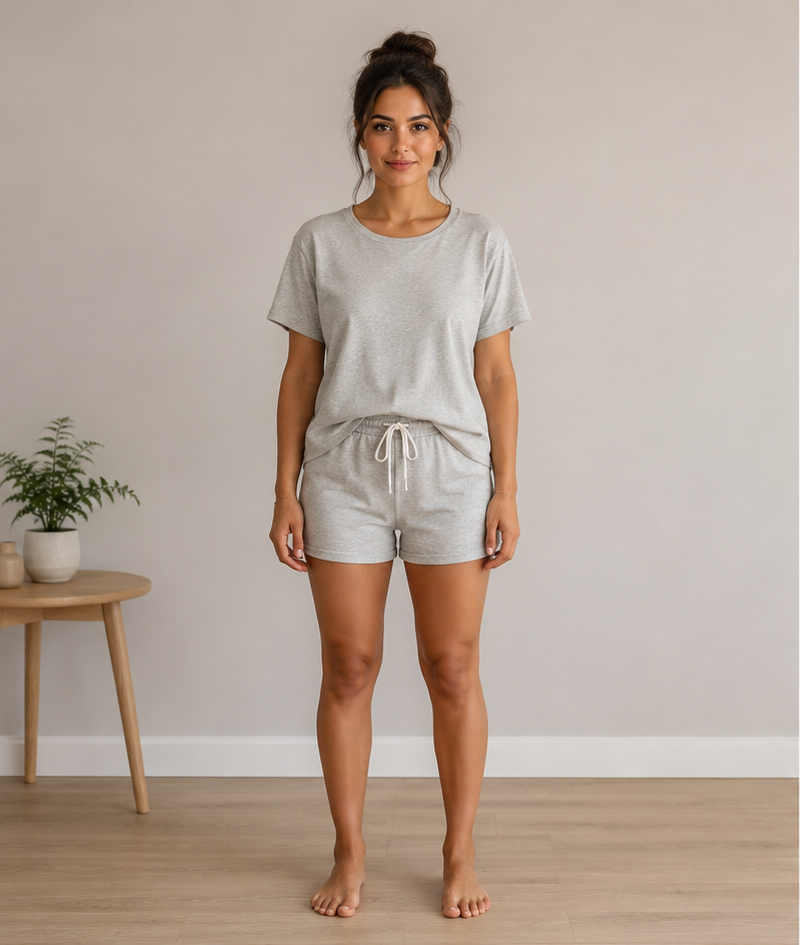 Before
The fitting button and modal are added by a Theme App Extension - no template edits, no liquid to maintain, no risk to your storefront.
Shoppers upload a photo and see a realistic preview of themselves in the item, generated in seconds.
Add “AI Fashion Suite” to your product template from the theme editor. No code, no developer needed.
By default raw photos aren’t stored - only a one-way match code (to avoid re-generating the same pair) and the AI result. Optional photo saving is off unless you enable it and the shopper consents.
Show a shoppable product carousel right after the result - and, with the “Complete the outfit” block, on the product page itself - so a fitting moment becomes an add-to-cart moment.
Starter planA built-in size recommender: shoppers answer a few quick questions and get the right size from your charts - no external AI, calculated on the spot. Fewer “which size?” hesitations, fewer size-based returns.
From BasicCollect product reviews with star ratings, text and photos, right on the product page. You approve each one before it shows, and buyers matched to a real order get a “Verified buyer” badge automatically.
From BasicLet shoppers save what they’re not ready to buy yet - no account needed, and their list follows them in when they sign in. What gets saved is a demand signal you can read before you discount: the products people want at today’s price but haven’t committed to.
From BasicA “Notify me when available” button on sold-out sizes. Shoppers - signed in or not - leave an email for the exact size they want and hear the moment it returns. The waiting list doubles as a demand report: which sizes people are asking for, before you place the reorder.
From Basic“Only 3 left” on a size that’s running out - showing your real inventory, never an invented number. There’s no setting that could make it say 3 over a stock of 300, because a counter nobody believes is worth less than none. Included with Back in Stock.
From BasicRemembers a shopper’s try-on per product, so a repeat visit shows their previous result instead of generating (and charging) again. Optionally drops the result into the product gallery and lets shoppers reuse a saved photo - no re-uploading.
Ask for an email in the result view (opt-in) and sync captured shoppers to a Shopify customer segment, Klaviyo, Omnisend, or your own webhook (Zapier, Make) - turning a fitting into a marketing contact.
A QR code sends shoppers from a desktop screen (or a printed tag) to a hosted try-on page on their phone, where the camera and photos live - then straight back to your product.
Fonts, colors, corner radius - make the popup look like it was built for your brand, not bolted on.
Starter planHide the “Powered by” credit line entirely for a fully on-brand storefront experience.
Starter planGenerate higher-detail fitting images instead of the standard quality used on lower plans.
Starter planThe same shopper photo and product never gets re-generated - repeat views are instant and don’t use your quota.
Shoppers can generate a fitting without an account. You choose how many free guest fittings to allow before asking them to sign in.
Cap fittings per shopper (daily & monthly) so one account can’t drain your quota - and automatically give buyers extra fittings with every order they place.
See the full funnel - button opens → fittings → add-to-cart - with conversion rates, top products, a peak-hours heatmap, generation speed, and period-over-period trends. Export any range to CSV.
No developer required. If you can add a section in the theme editor, you can install this.
Enter your shop domain below and approve the request - the app only asks for read access to your products.
Open the theme editor, drop “AI Fashion Suite” onto your product template, and pick where the button sits.
One click on “See it on me” and shoppers get an AI preview of the item on themselves, right on the product page.
Billed automatically through Shopify - upgrade, downgrade or cancel anytime from your app dashboard, no separate invoices to chase.
Includes 5 fittings / month. No overage - it stops at your quota
Includes 50 fittings / month. Extra fittings: $0.20 each, up to $50 / month
Includes 100 fittings / month. Extra fittings: $0.15 each, up to $150 / month
Includes 300 fittings / month. Extra fittings: $0.10 each, up to $200 / month
Find My Size, Reviews, Back in Stock and Wishlist are included in every paid plan, from Basic up - nothing extra to buy. Need a higher volume? Talk to us about a custom quota.
No. The fitting button appears right on your product page. Shoppers just upload a photo and click - no account required unless you choose to limit guest fittings.
Not by default. The uploaded photo is used to generate the fitting and then discarded - we keep only a one-way match code (to avoid re-generating the exact same photo and product pair) and the AI-generated result image. There’s an optional feature that lets a shopper save their photo to reuse later; it only stores anything when you enable it and the shopper ticks the consent box, and saved photos are auto-deleted on the schedule you choose.
A built-in size recommender. Shoppers answer a few quick questions and it picks the best size from the size charts you set up - calculated locally, with no external AI. It’s included from the Basic plan and has its own storefront button, separate from the try-on.
Yes, with the Reviews module, included from Basic. Shoppers leave a star rating, text and photos right on the product page. Every review waits for your approval before it shows, and buyers matched to a real order get a “Verified buyer” badge automatically. It’s a separate storefront block, independent from the try-on.
Yes, with the Wishlist module, included from Basic - and without making an account, which is the whole point: a save button that asks people to register first is one nobody presses. Their list follows them into their account when they sign in, and they can share it by link. It never asks for an email or adds anyone to your marketing tools. On your side you get the products ranked by how many people are waiting on them, which is the demand signal you want before deciding what to restock, feature or discount.
Always, and there is no setting that could change that. It reads your actual inventory, and it stays hidden on sizes that don’t track stock or that you allow to oversell - the count would mean nothing there. The threshold is capped at 20 for the same reason: above that it stops being scarcity and becomes an inventory report. Fake scarcity is why shoppers have learned to scroll past these counters, and in the EU and the UK it’s a consumer-protection problem on top of being a lie. It comes with the Back in Stock module.
With the Back in Stock module (included from Basic), a “Notify me when available” button appears on that variant - and only on that variant, so someone waiting for the medium isn’t emailed when the extra-small returns. Shoppers don’t need an account; an email address is enough. We send the alert for you, under your store’s name, unless you’d rather send it from your own tool - every plan includes a monthly allowance for that. The waiting list also doubles as a demand report: which sizes people are asking for, before you reorder.
No. You can remember each shopper’s try-on per product, so a return visit shows their previous result instead of generating a new one, and shoppers can reuse a saved photo from the popup - no re-uploading, and no extra generation charged for a result they’ve already seen.
No. The block loads its own small script and calls the app through Shopify’s App Proxy - it doesn’t touch your theme’s core rendering or checkout.
Only new AI generations. If a shopper revisits a result you’ve already generated for that exact photo and product, it’s served from cache instantly and doesn’t use any quota.
Entirely through Shopify’s own billing - the charge appears on your regular Shopify invoice. Upgrade, downgrade or cancel anytime from the app’s billing page, no external account needed.
From the Starter plan up, yes - fonts, colors and corner radius are fully customizable, and you can remove the “Powered by” credit line entirely.
You’ll get a heads-up in the app dashboard as you approach your limit. Upgrading takes one click and applies immediately - no downtime for your shoppers.
Install AI Fashion Suite on your Shopify store and have your first product live with an AI fitting preview today.
Enter your Shopify domain to get started.
Questions before you install? support@template-tuners.com
